FluentRead
An open-source browser translation plugin that can connect to OpenAI-compatible translation models.
Chat Settings Option
Under System Settings -> Chat Settings in the Models Hub console, you can add the following shortcut option to enable one-click filling into FluentRead from the token management page:
{ "流畅阅读": "fluentread" }🌊 FluentRead is an open-source browser translation plugin dedicated to providing a native-like reading experience.
- Project page: https://github.com/Bistutu/FluentRead
🌟 Core Features
Smart Translation Engine
- Multi-engine support: Supports 20+ translation engines
- Traditional translation: Microsoft Translator, Google Translate, DeepL, etc.
- AI large models: OpenAI, DeepSeek, Kimi, Ollama, etc.
- Custom engines: Supports custom translation service configuration
Immersive Reading Experience
- Bilingual side-by-side: The original text and translation are displayed side by side for easier reading
- Selection translation: Select any text to instantly get the translation
- One-click copy: Quickly copy translations to improve reading efficiency
- Full-page translation: Translate the entire web page with one click via the floating button, no page refresh needed
Privacy and Customization
- Privacy protection: All data is stored locally; the code is open source and transparent
- Highly customizable: Rich customization options to meet different scenarios
- Completely free: Open source and free, a non-commercial project
📦 Installation
| Browser | Installation |
|---|---|
| Chrome | Chrome Web Store |
| Edge | Edge Add-ons Store |
| Firefox | Firefox Add-ons Store |
🚀 Configuration
Import Configuration from the Models Hub Console (recommended)
Once the FluentRead plugin is installed in your browser, opening the Models Hub console -> Token Management page will show a prompt to add FluentRead.
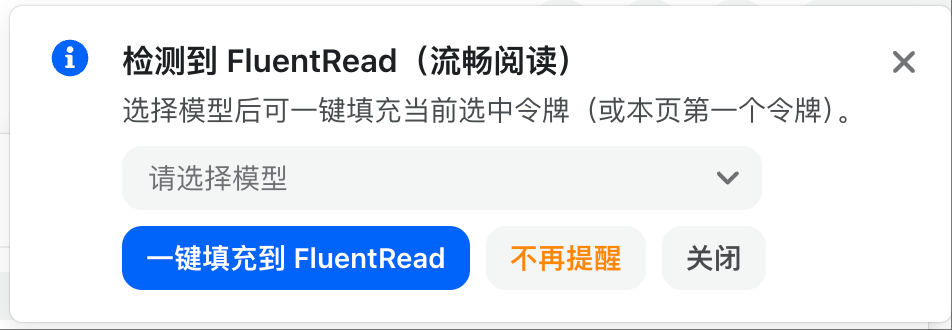
After selecting a model, click one-click fill into FluentRead. A confirmation window will pop up; check that the corresponding information is correct.
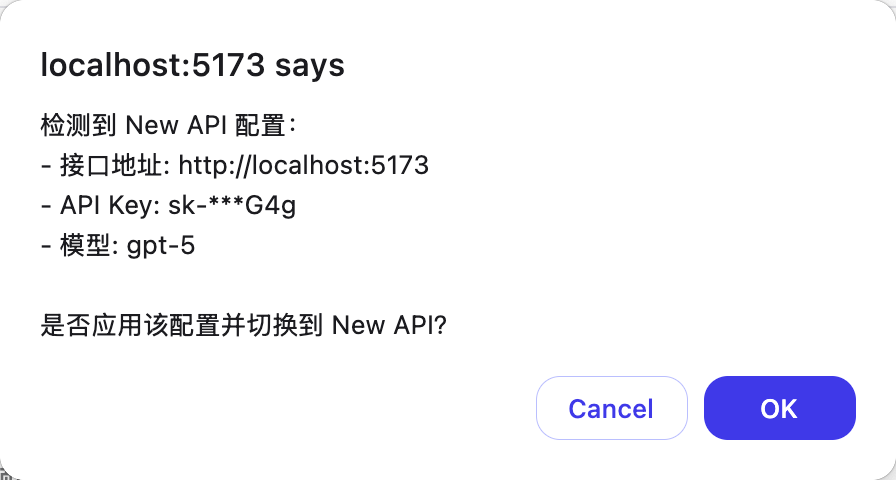
Once you confirm the import, the Models Hub configuration in FluentRead will be enabled.
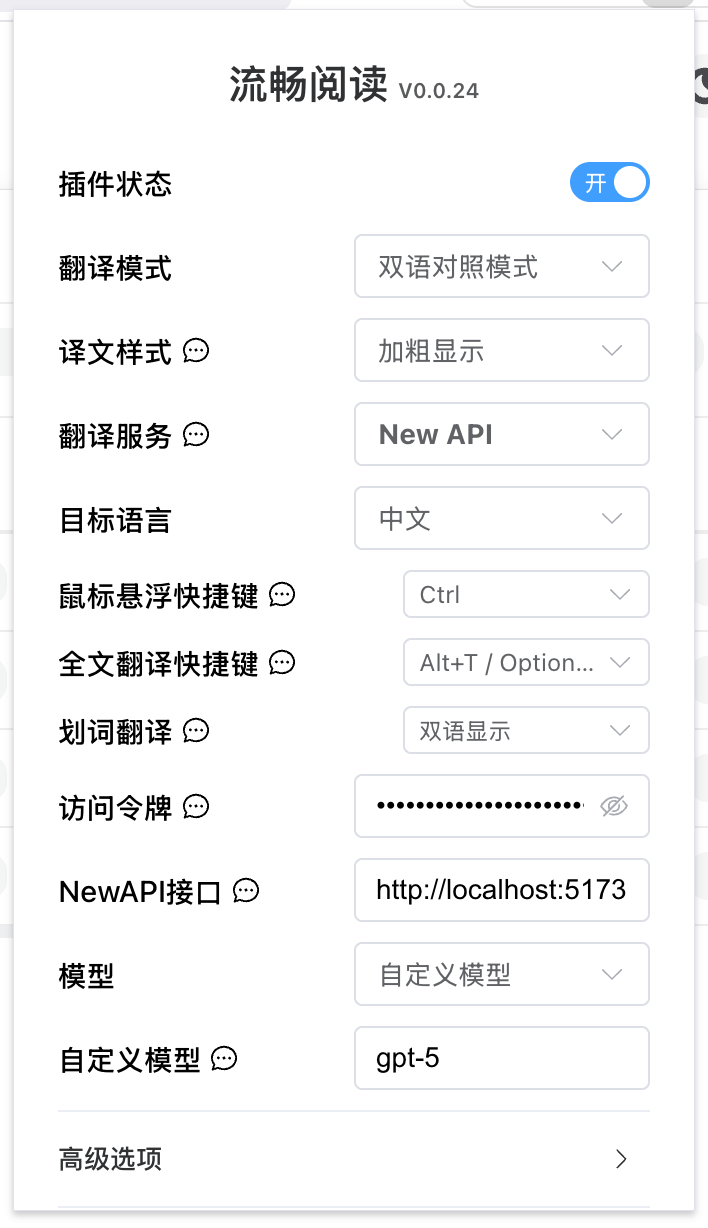
Manually Enter the Configuration in FluentRead
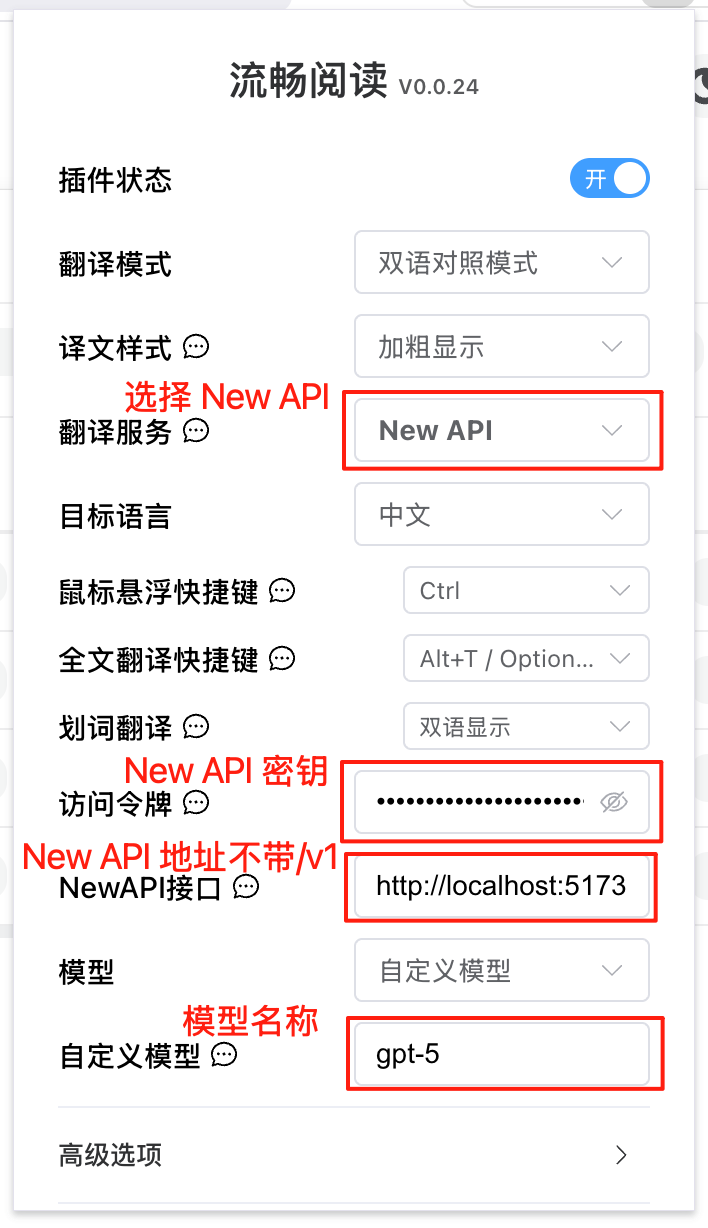
| Setting | Content |
|---|---|
| Translation service | Models Hub |
| Access token | Models Hub key |
| Models Hub endpoint | Models Hub deployment address (without /v1) |
| Model | Select from the list, or use a custom model |
| Custom model | Model name |