LangBot
An open-source bot development framework for instant messaging platforms.
LangBot is an open-source instant messaging bot development platform that supports many IM platforms such as Feishu, DingTalk, WeChat, QQ, Telegram, Discord, and Slack. It connects to the world's mainstream AI models and supports a variety of AI application capabilities including knowledge bases, Agents, and MCP — with full Models Hub compatibility.
- Website: https://langbot.app
- Downloads: https://github.com/langbot-app/LangBot/releases
- Official documentation: https://docs.langbot.app
- Source code: https://github.com/langbot-app/LangBot
Connecting to Models Hub
LangBot supports connecting to both a locally deployed Models Hub and third-party Models Hub services built with Models Hub.
How to use
-
Get an API key from Models Hub
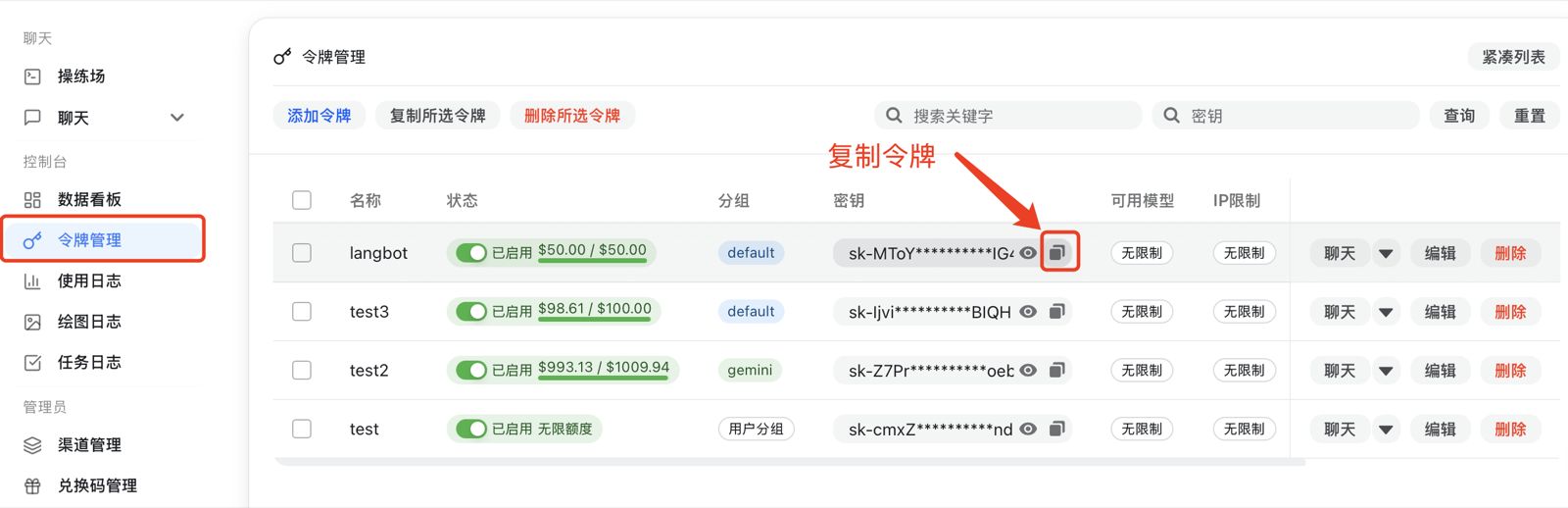
For a locally deployed Models Hub, configure the API URL yourself (see Container Networking). For a third-party Models Hub service, copy the URL shown on the page. Note that you need to append
/v1to the URL. -
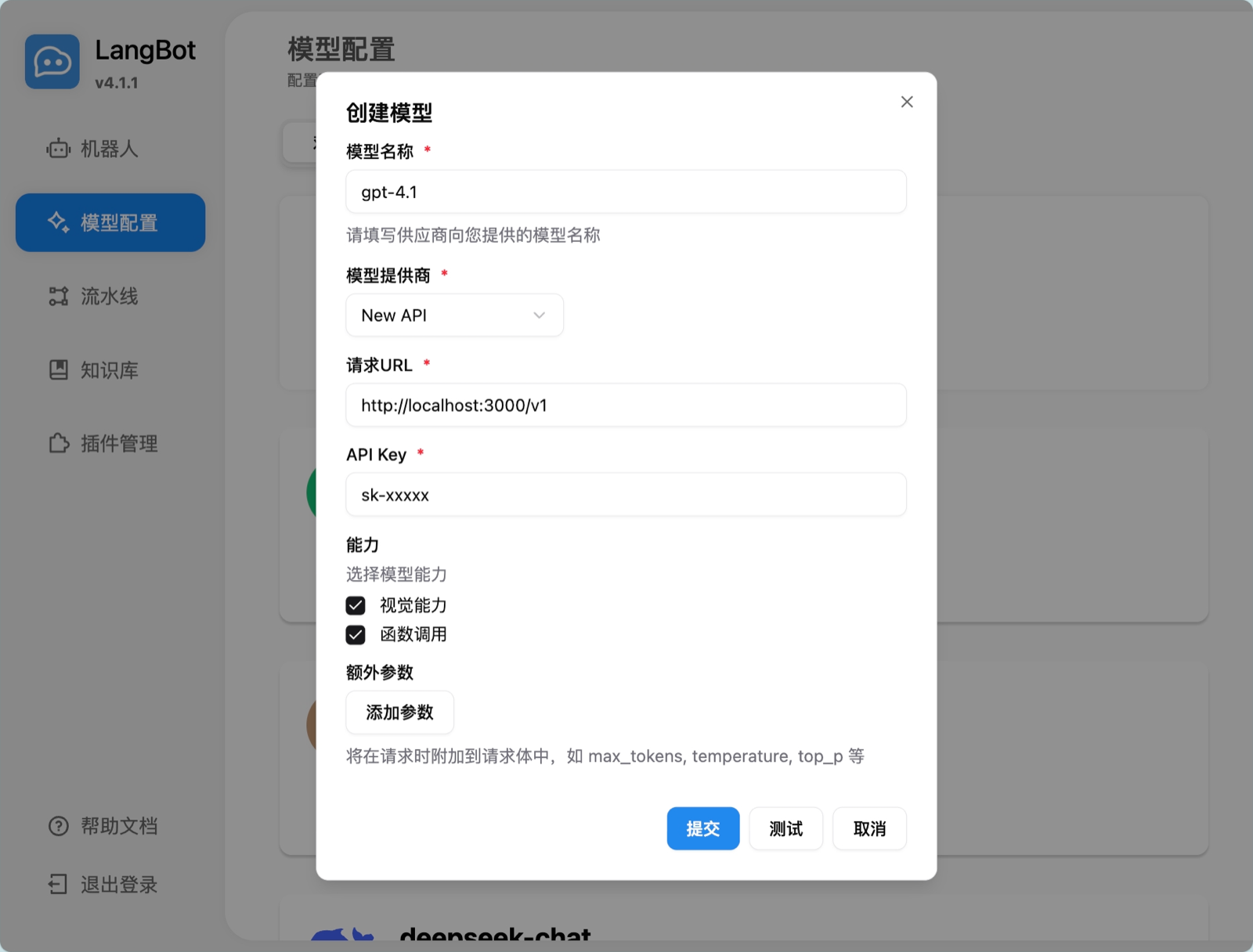
Add a model in LangBot, choose the Models Hub provider, and fill in the corresponding API key and API URL
-
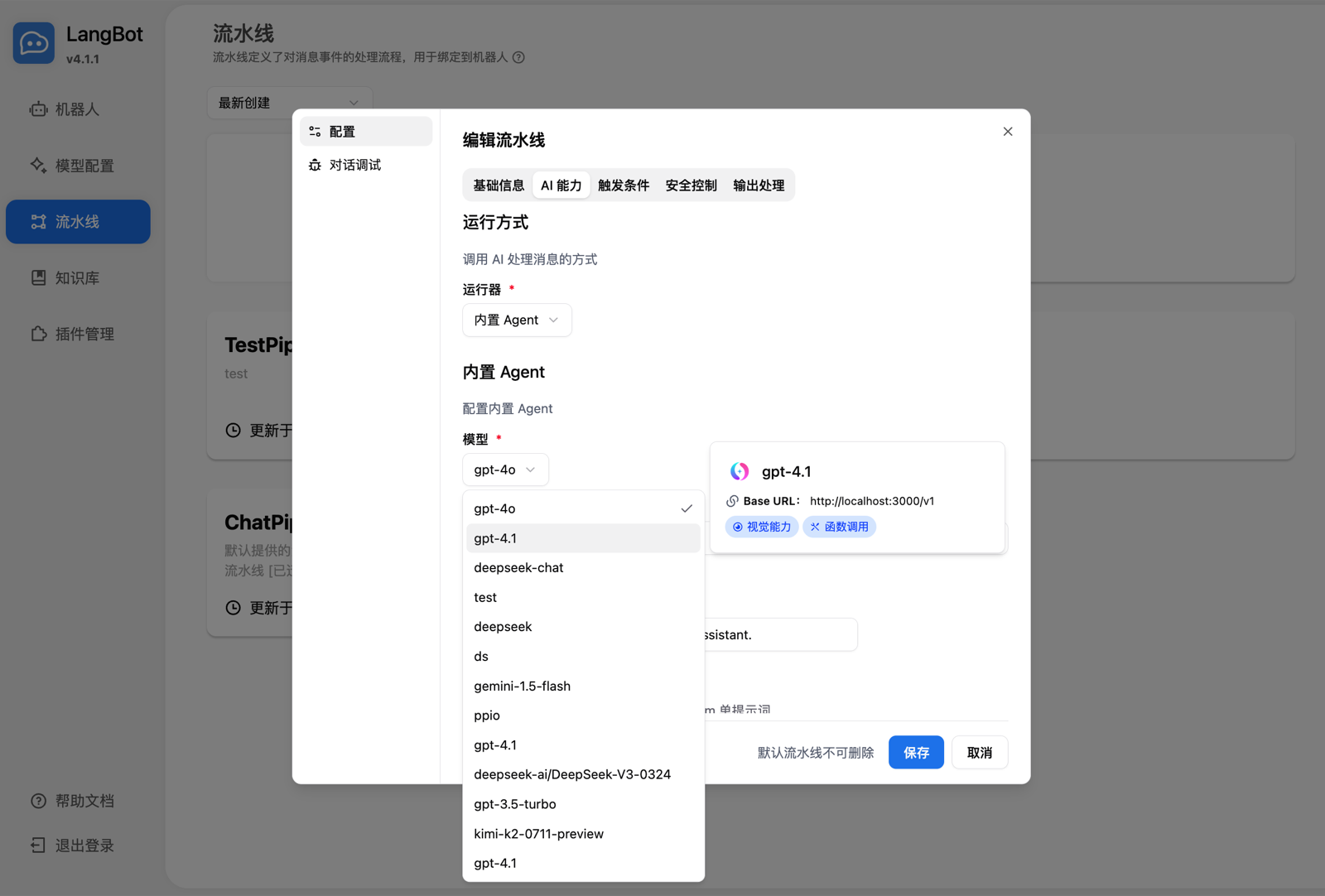
Select the model in your pipeline
-
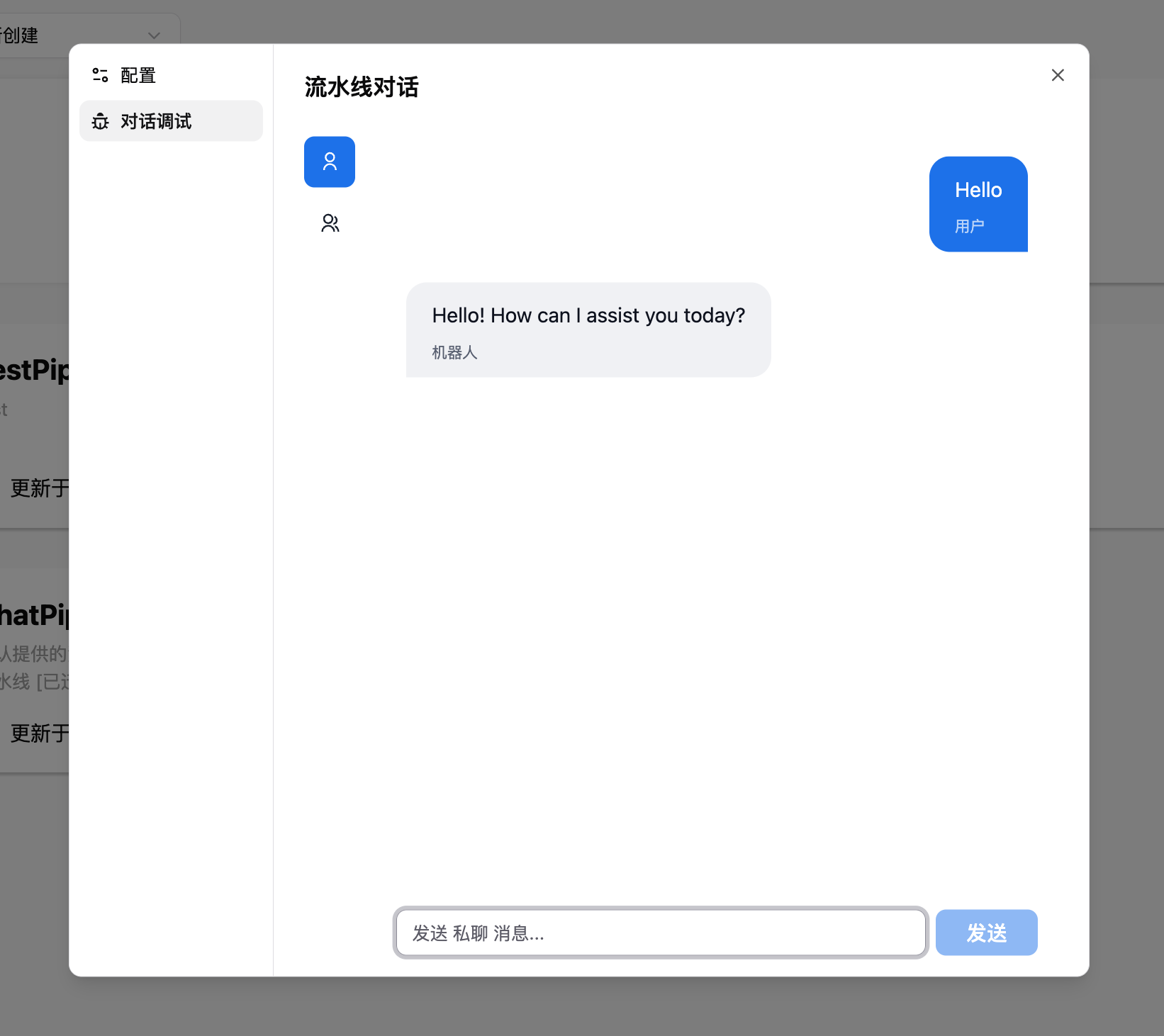
Use it by chatting in the conversation debugger, or by talking to a bot bound to the pipeline
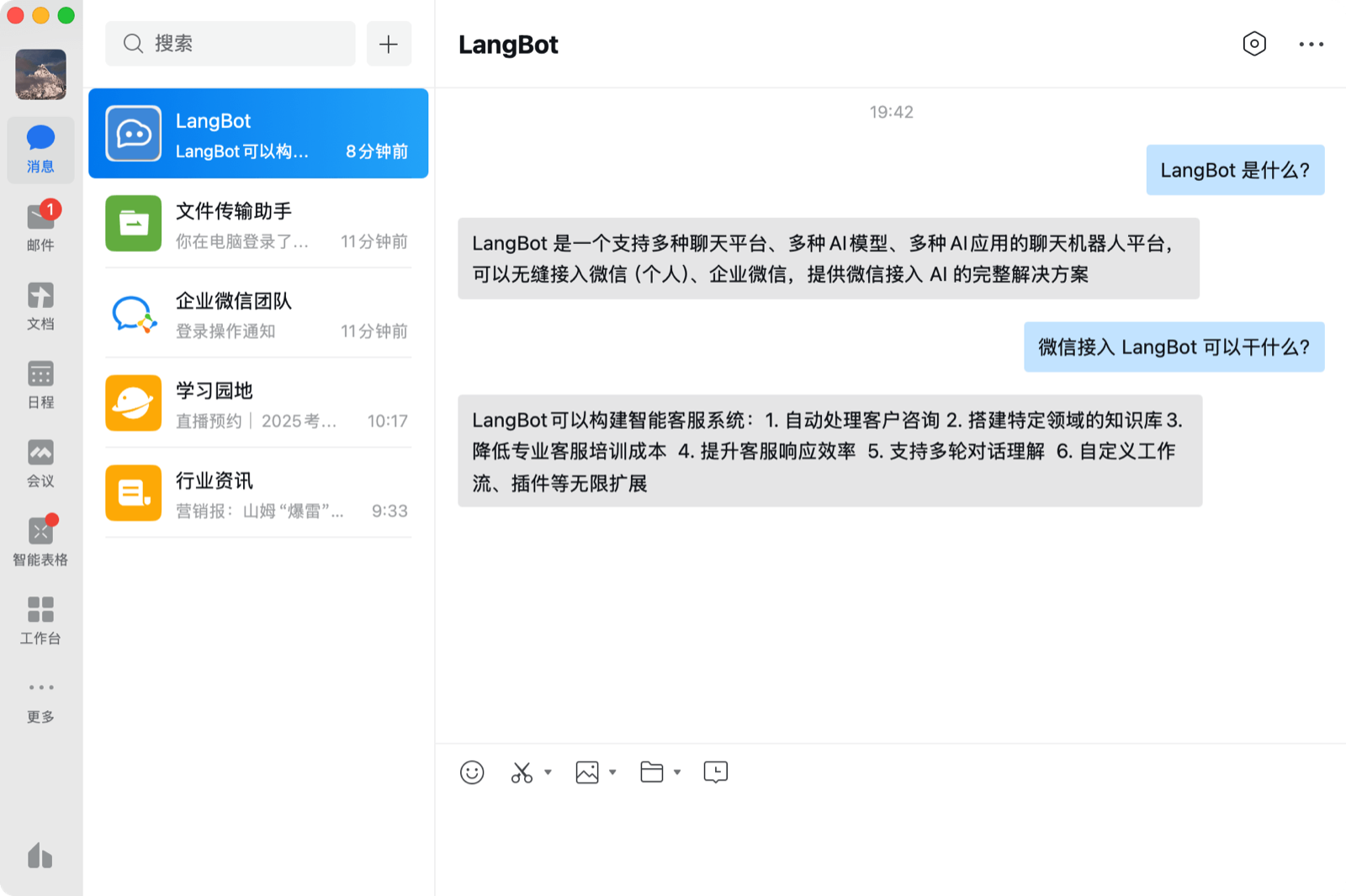
To deploy and configure a bot, see Deploying a Bot.
Using the LangBot knowledge base
LangBot supports using Models Hub embedding models as the vector model for a knowledge base.
-
Add an embedding model in LangBot and choose the Models Hub provider
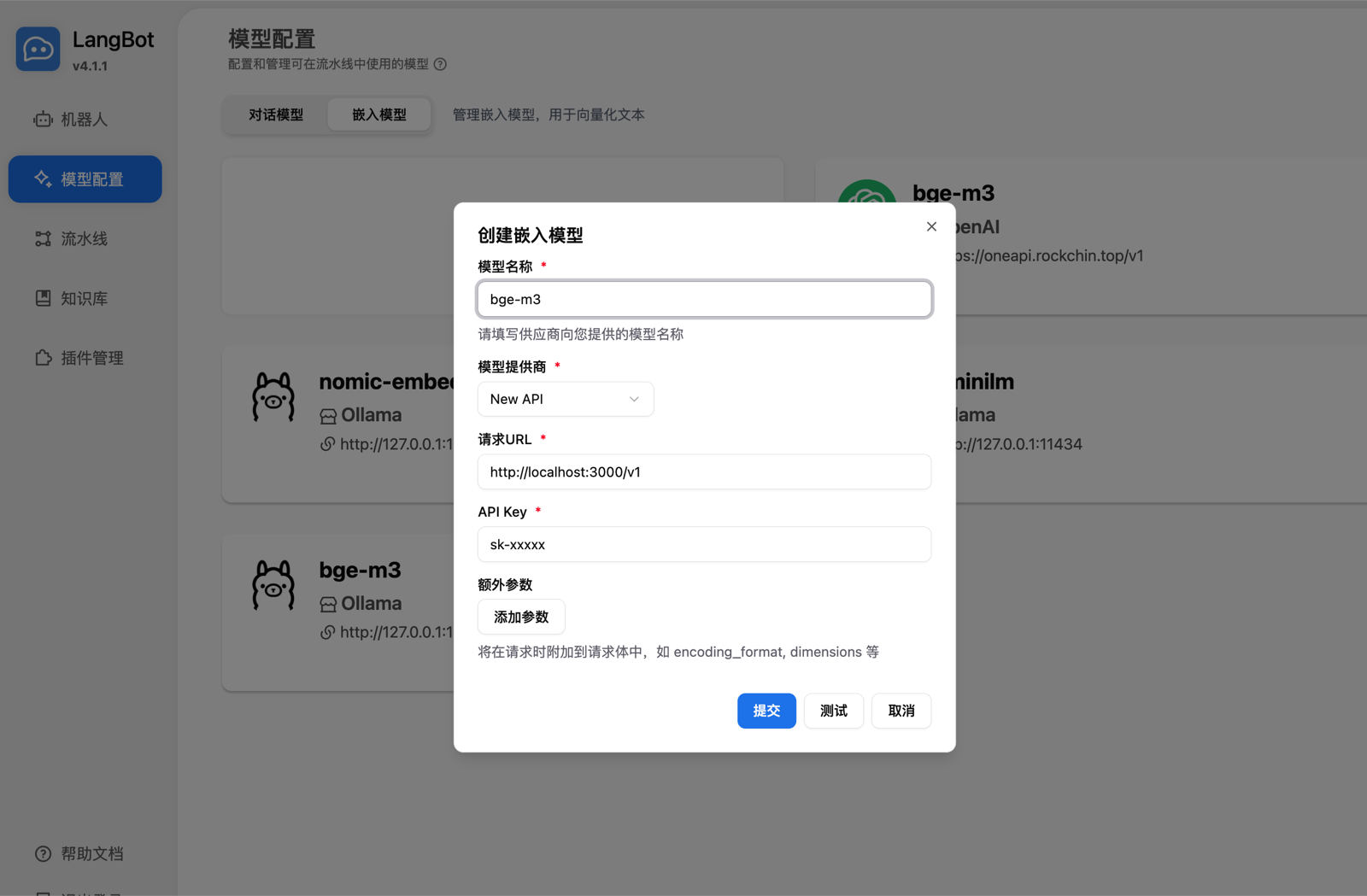
-
Select the embedding model when creating a new knowledge base
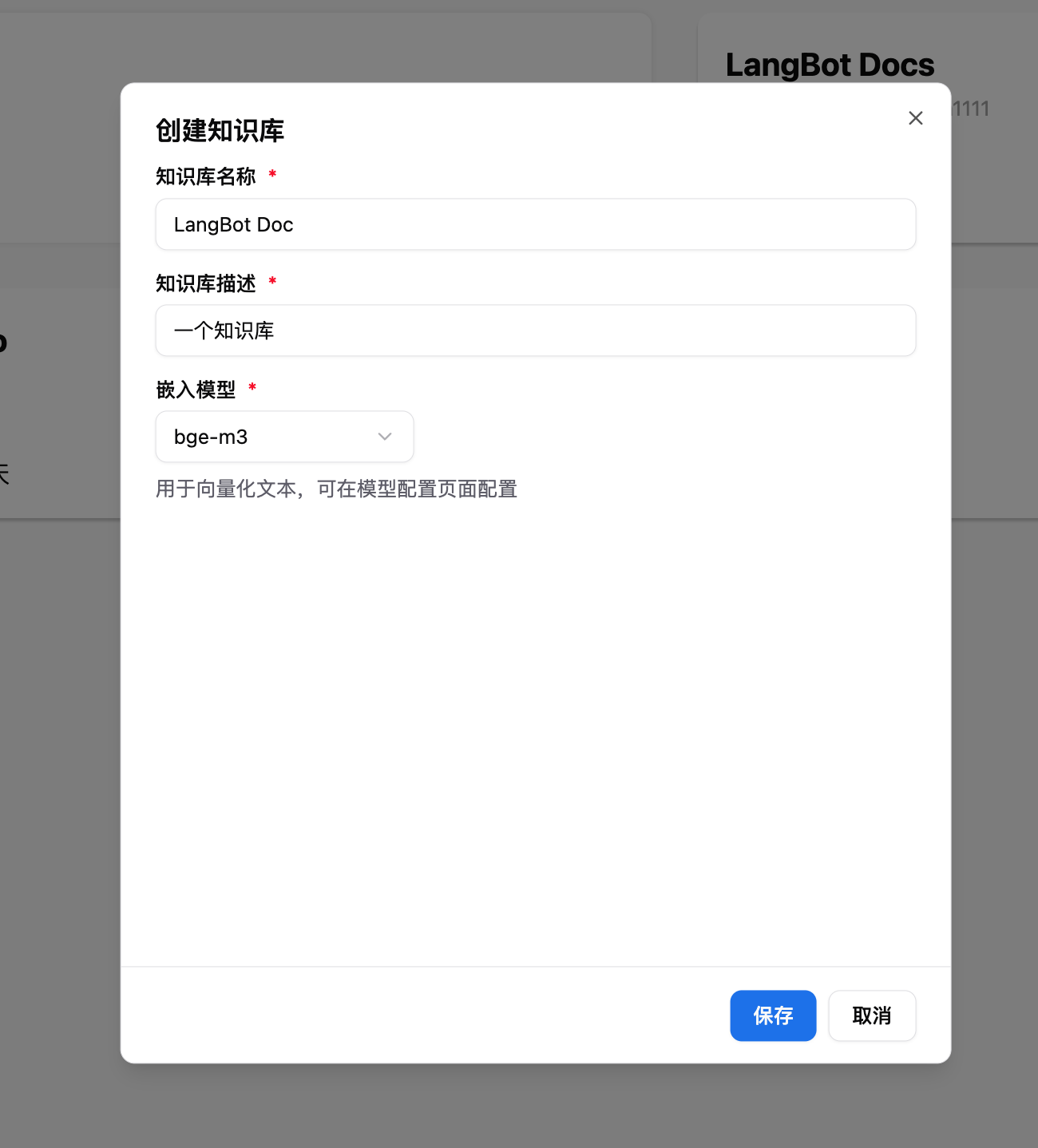
For more usage details, see the official LangBot documentation: https://docs.langbot.app