CLI One-click Setup
Use the Models Hub CLI to automatically configure Claude Code, Codex, Gemini CLI, and OpenClaw.
The Models Hub CLI is a local command-line configuration tool that writes your Models Hub API Key, API URL, and default model into the local config files of mainstream Agent tools in one click — saving you the hassle of editing each one by hand.
Use Cases
- You already have a Models Hub API Key and want to quickly connect your commonly used Agent tools to Models Hub.
- You use Claude Code, Codex, Gemini CLI, or OpenClaw on the same machine and don't want to edit config files one by one.
- You need to quickly initialize Agent tool configuration with a script on a new computer, server, or team environment.
- For Claude Code, Gemini CLI, and others, settings are merged in to preserve your existing configuration as much as possible.
One-Click Install
Pick the command for your operating system (it is generated automatically from the site domain you are currently visiting):
curl -fsSL https://your-domain/cli/install.sh | shAfter installation, reopen your terminal or PowerShell and confirm the command is available:
models --helpInstallation location
On macOS, Linux, and Windows, it installs to ~/.local/bin/models by default (on Windows, that is %USERPROFILE%\.local\bin\models.exe). If you get a "command not found" error for models, confirm the install directory is on your PATH, or reopen your terminal. Supported systems: macOS (Intel / Apple Silicon), Linux (x64 / arm64), Windows (x64 / arm64).
Interactive Configuration
Simply run:
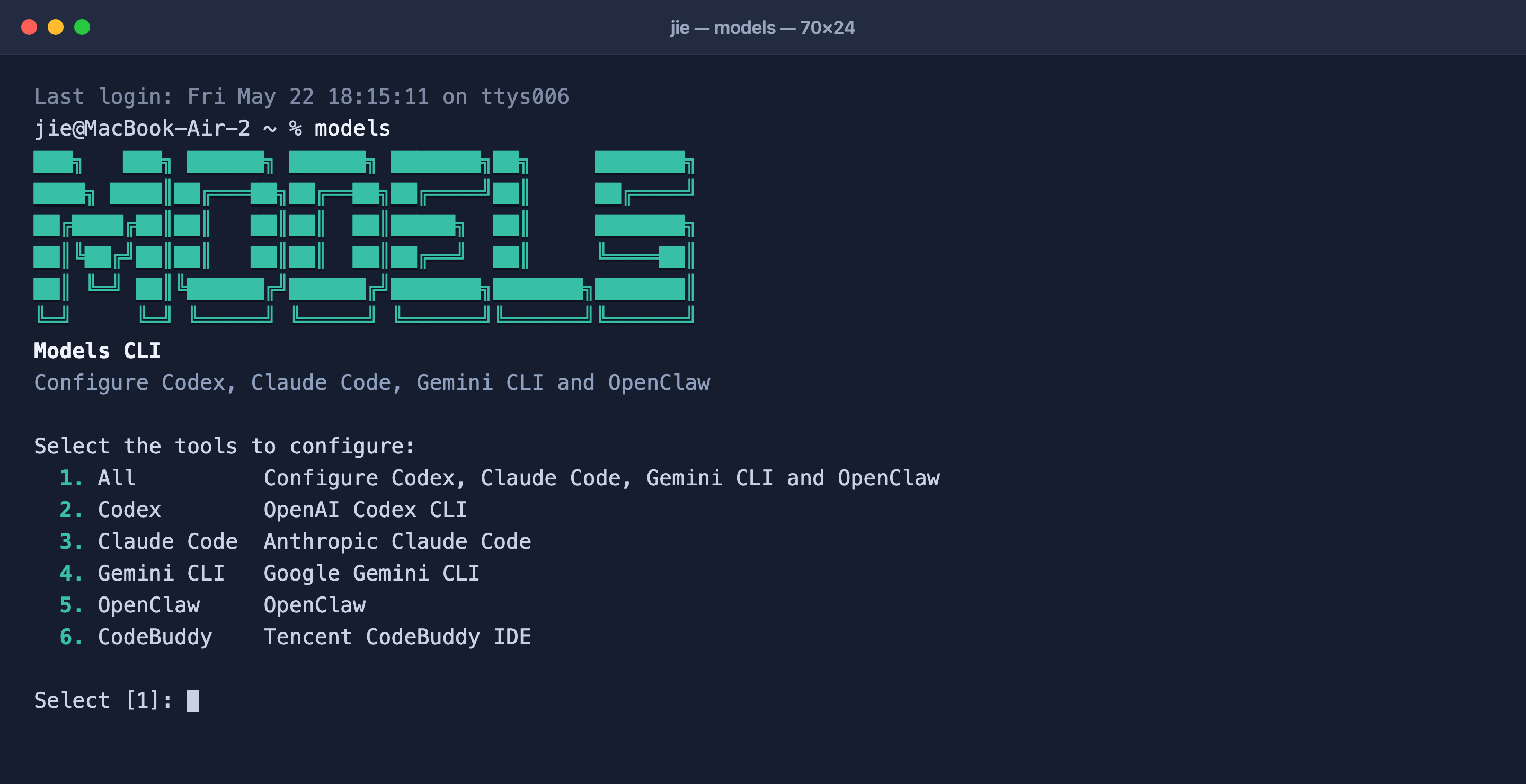
modelsThe CLI displays an interactive menu where you can choose to configure all tools or just a single target. As prompted, first enter the access URL (the site domain you are currently using, without a trailing /), then enter your Models Hub API Key and model name; the tool then automatically writes the config files for the corresponding platforms.
Supported targets:
| Target | Description |
|---|---|
all | Configure Claude Code, Codex, Gemini CLI, and OpenClaw all at once |
claude | Configure Claude Code |
codex | Configure Codex CLI |
gemini | Configure Gemini CLI |
openclaw | Configure OpenClaw |
Non-Interactive Configuration
Ideal for scripts, CI, or bulk initialization. --yes uses default values for any unspecified API URL and model, requiring no manual input:
# Configure all tools at once with a single API Key
models configure --target all --api-key <YOUR_API_KEY> --yes

# Configure only Claude Code and Codex
models configure --target claude,codex --api-key <YOUR_API_KEY>

# You can also provide the API Key via an environment variable
export MODELS_API_KEY=<YOUR_API_KEY>
models configure --target all --yes
Command-line options
| Option | Description |
|---|---|
--target <list> | Target tools: codex, claude, gemini, openclaw, or all (default all) |
--base-url <url> | Access URL (the site domain you are currently using, without a trailing /) |
--api-key <key> | API key; if not provided, you'll be prompted to enter it, or it's read from the MODELS_API_KEY environment variable |
--model <model> | Use the same model for all selected tools |
--codex-model <name> | Specify the model for Codex only |
--claude-model <name> | Specify the model for Claude Code only |
--gemini-model <name> | Specify the model for Gemini CLI only |
--yes | Use default values for any unspecified base URL and model |
-h, --help | Show help |
Default models: gpt-5.5 for Codex, claude-sonnet-4-6 for Claude Code, and gemini-3.1-pro-preview for Gemini CLI.
Config Files Written
After running, the CLI writes the API Key, Base URL, and model to each tool's standard configuration location:
| Tool | Files written |
|---|---|
| Codex | ~/.codex/config.toml, ~/.codex/auth.json |
| Claude Code | ~/.claude/settings.json (merges env, preserves existing settings) |
| Gemini CLI | ~/.gemini/settings.json, ~/.gemini/.env |
| OpenClaw | ~/.openclaw/openclaw.json, ~/.openclaw/.env |
Once configured, just launch the corresponding tool to use Models Hub's model services — there's no need to set environment variables manually.
Tip: After the configuration is written, all requests from the corresponding tool go through the Models Hub endpoint (
ANTHROPIC_BASE_URL/OPENAI_BASE_URL, etc.) and use your Models Hub quota, rather than each vendor's official account.
More Agent Tool Configuration Entries
The cards below match the Connecting Agent Tools page. You can continue to view the detailed configuration for each tool.